
10 Best Video Game Systems For Exercise in 2026
This post contains affiliate links. As an Amazon Associate, we earn from qualifying purchases.
The Nex Playground Complete Family Gaming Bundle is the best overall video game system for exercise because it uses camera-based motion tracking that requires no controllers at all. This makes it accessible for everyone ages five and up. For families who want a complete out-of-the-box experience without subscriptions, the Kryolithm MotionX Active Game Console offers strong value. The Quell Impact Fitness Gaming Platform stands out for adults seeking a genuinely challenging high-intensity workout.
The challenge with exercise gaming systems is finding one that actually keeps you moving instead of sitting on the couch. Many consoles require extra accessories or subscriptions, and the motion tracking quality varies wildly between systems. You need hardware that tracks your whole body accurately, offers enough variety to prevent boredom, and fits your space and budget.
We evaluated these systems by analyzing manufacturer specifications, expert round-ups, and patterns in owner feedback to understand what makes each one effective for real workouts. This guide covers ten different systems ranging from balance training setups to VR fitness platforms, so you can match the right approach to your fitness goals.
Top 10 Video Game Systems For Exercise in the Market
Certain content that appears on this site comes from Amazon. This content is provided "as is" and is subject to change or removal at any time.
The Best Video Game Systems For Exercise, Reviewed
Nex Playground Complete Family Gaming Bundle

What We Like
- No controllers needed for play
- 30+ games with monthly updates
- Safe for ages 5+ with no ads
- Portable travel case included
Trade-offs
- Requires HDMI TV for use
- 12-month Play Pass is non-refundable
A built-in camera that tracks up to four players at once means nobody has to hold a controller or dance mat to get moving. That alone makes this the most accessible active gaming system for families who want to exercise together without fumbling with accessories. The 12-month Play Pass unlocks over 30 motion games spanning dance, fitness, and sports, with new content arriving monthly so the workout library stays fresh. Everything arrives in one bundle including a travel case, making it easy to bring the fun to a relative’s house or a weekend trip.
The trade-off is that the Play Pass subscription is a non-refundable digital code, so you are committing to a year of content upfront rather than buying games individually. That said, the pass covers the entire family with no ads or in-app purchases, which keeps the experience distraction-free. Compared to the FWFX AR Motion Gaming Console, which offers 30 preloaded games without a subscription, the Nex Playground gives you a growing library and a travel case for the same kind of controller-free play. For a household that values variety and portability, this is the most complete package.
FWFX AR Motion Gaming Console
What We Like
- 30+ preloaded games, no extra purchases
- Body motion mode uses no controllers
- Shows calories burned after virtual gym games
- Compact and portable for travel
Trade-offs
- Batteries for controllers not included
- No online multiplayer or downloadable content beyond free packs
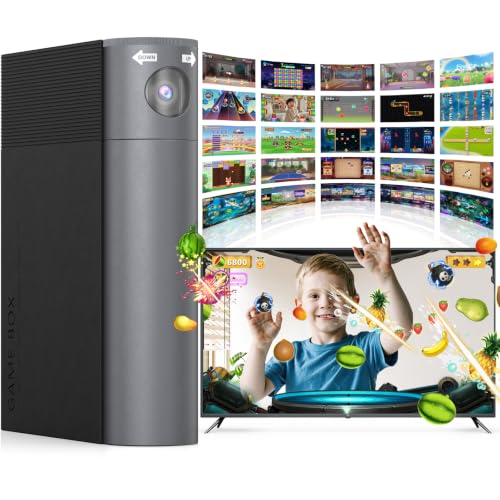
With 30-plus games preloaded and no internet required, this console turns any TV into an active playground the moment you plug it in. The motion-tracking camera lets kids jump, dodge, and swing without holding a controller, and the virtual gym games even show time played and calories burned afterward. That makes it a natural fit for family nights where everyone wants to move together rather than sit and scroll.
The included wireless controllers need batteries you supply separately, and the age range of 4 to 12 means older teens or adults may outgrow the game library faster. If your goal is getting little ones off the couch without complicated setup or subscriptions, this delivers.
Product photos
Xbox 360 4GB Console with Kinect
What We Like
- Built-in Wi-Fi for online connectivity
- Includes Xbox 360 wireless controller
- Lightweight at 2.0 pounds
Trade-offs
- 4GB storage limits digital game downloads
- Older hardware lacks modern game library support
- Requires open play space for Kinect sensor
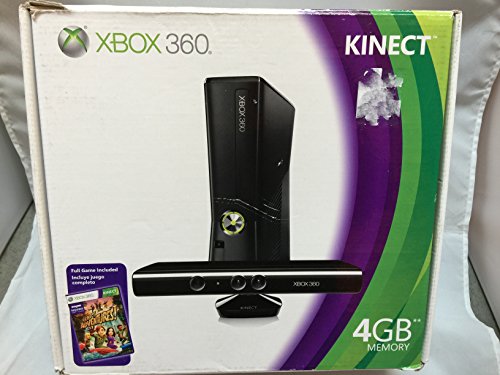
The Kinect sensor and built-in Wi-Fi are the key features here. The console includes a wireless controller and weighs 2.0 pounds, so it’s light enough to move between rooms. Wi-Fi lets you connect to Xbox LIVE without extra cables, and the Kinect sensor adds motion input for games that support it. The wireless controller works for standard navigation or traditional gameplay.
Storage is the issue: with only 4GB built in, you cannot download many digital games or updates without an external drive. Compared to the Nex Playground which includes a 12-month Play Pass, the Xbox 360 relies on physical discs for its game library. That older hardware means the game selection is fixed to what was released for the platform. If you already own Kinect-compatible games or want a console with motion sensing and online access, this is a functional option for its era.
Nintendo Wii Fit U with Balance Board
What We Like
- Dedicated balance board accessory included
- Fit Meter tracks daily movement
- Targeted balance and stability training
Trade-offs
- At 10.3 pounds, not easily portable
- Requires Wii U console to play
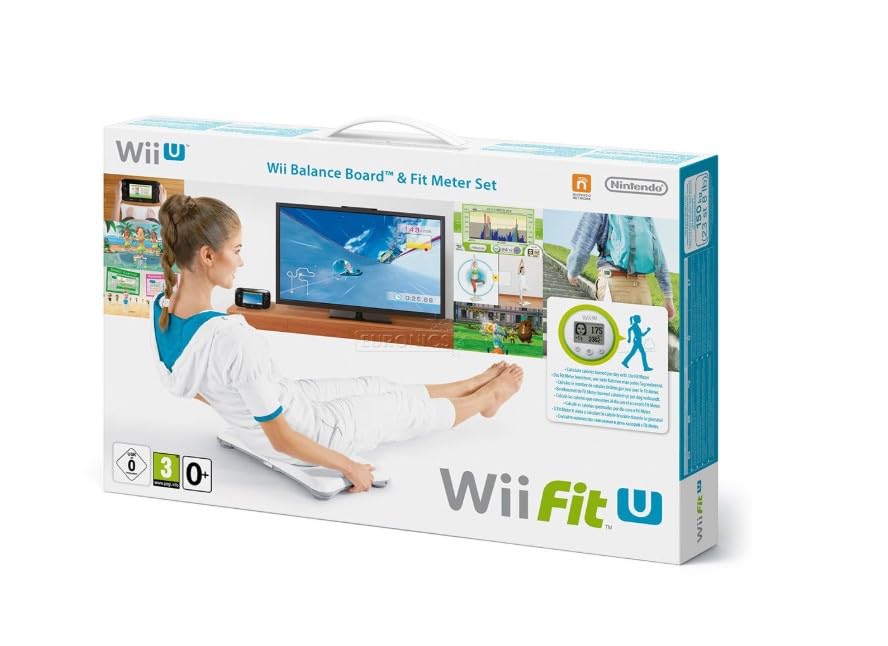
The Balance Board is a dedicated accessory that measures your weight and center of balance as you stand on it, so you can perform exercises like yoga poses and strength moves with direct feedback. Because the board tracks your shifts in balance, you don’t need to guess whether you’re holding a pose correctly, the game tells you. The Fit Meter clips onto your clothing and records your daily activity, meaning you can track steps and movement even when you’re away from the console. This setup works well for anyone who wants a structured, low-impact fitness routine that doesn’t involve jumping or high-intensity moves.
The main limitation is that the Wii Fit U system works only with a Wii U console, and at 10.3 pounds it’s not something you’d casually carry to a friend’s house. For comparison, the FWFX AR Motion Gaming Console weighs 1.6 pounds and offers motion-based games as a plug-and-play device. If you already own a Wii U and want a precise balance-training accessory, this product is a logical fit. If portability is your priority, the FWFX provides a much lighter alternative.
Quell Impact Fitness Gaming Platform

What We Like
- 600+ calories per hour high-intensity workout
- Motion tracking with haptic feedback
- High-intensity full-body workouts
Trade-offs
- Subscription required for full game access
- Only level 1 bands included in base kit
- Focuses on combat-style movement, not casual play
Burning over 600 calories an hour puts this in a different league from most exercise gaming gear. It suits anyone who wants their gaming to double as serious training, especially if you enjoy fighting games and need a structured way to build endurance and upper-body power without leaving the living room.
Kryolithm MotionX Active Game Console
What We Like
- No subscription ever required
- 41+ games with free updates
- Controller-free full-body tracking
- Privacy-safe with physical camera cover
Trade-offs
- WiFi needed for content updates
- Requires TV or monitor with HDMI port
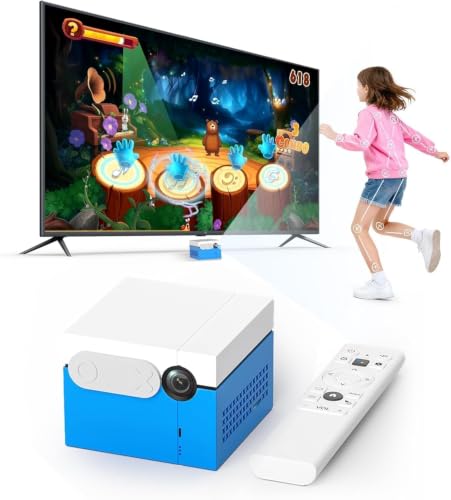
Forty-one motion games with continuous free updates and zero subscription fees means this little box keeps delivering fresh active play without ever asking for your credit card. That alone makes it a standout for families who want a set-it-and-forget-it solution that won’t nickel-and-dime you. The AI camera tracks your whole body so kids just jump, twist, and dance naturally, and the CPC certification plus physical privacy cover mean parents don’t have to worry about data or inappropriate content. It’s a genuinely thoughtful system for households that value active indoor play but hate recurring costs.
A library of 41 motion-controlled games spans sports, dance, puzzles, music, and party challenges, turning any room into an active play space. No subscription is ever required, and content updates arrive continuously to keep the experience fresh. The built-in AI wide-angle camera detects natural body movement with precision, so kids simply jump, run, twist, and dance to play, no controllers, remotes, or wearables needed. This active system helps reduce passive screen time while improving coordination, reaction speed, and focus. Setup takes minutes: connect the device to any TV, monitor, or projector using the included HDMI cable, and no WiFi is needed for gameplay. WiFi is only required for occasional content updates, keeping play smooth and accessible.
Product photos
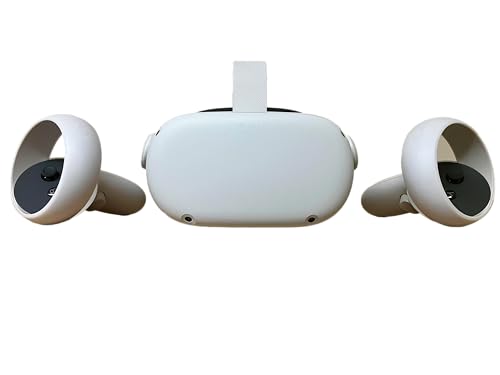
Meta Quest 2 VR Headset 256GB
What We Like
- Wireless headset for free movement
- Over 250 games including fitness titles
- Hand tracking and haptic feedback
- 3D positional audio for immersion
Trade-offs
- Ages 13+ limits younger family use
- At 1.8 pounds, noticeable on longer sessions
A wireless headset lets you swing, duck, and dodge without tripping over cables, which makes movement feel natural and turns exercise into play. Over 250 titles across gaming, fitness, social/multiplayer, and entertainment let you box through a rhythm workout, explore fantasy worlds on foot, or join a virtual class with friends. Hand tracking and haptic feedback pull you into the action, so your body follows along without thinking about it. For someone who struggles to stay consistent with traditional gym routines, this turns movement into play.
This immersive experience comes with a weight of 1.8 pounds on your face, which can feel heavy during longer sweat sessions. It’s also designed for ages 13 and up, so younger kids won’t be able to join in. Still, if you’re after a workout that tricks you into moving more because you’re too busy having fun, this delivers a level of engagement that few other systems match.
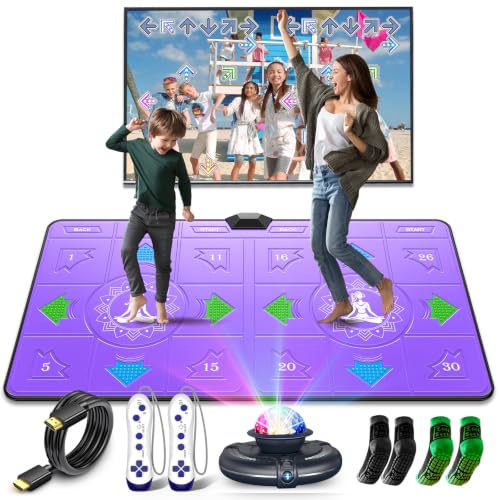
FWFX Wireless Dance Mat Game
What We Like
- No WiFi or subscription required
- Extra-large 65.4-inch mat with joint protection
- 2-year warranty included
Trade-offs
- Requires 6 AAA batteries (not included)
- Mat at 65.4 inches needs floor space
With over 270 built-in activities packed into one mat, this system turns your living room into a full workout studio without needing WiFi, apps, or a subscription. The extra-large 65.4-inch mat with shock-absorbing pearl cotton core and silicone massage nodes helps protect your joints while you move, so even beginners can step confidently. It is especially suited for families who want everyone, from kids to adults, to find something they enjoy without complicated setup or ongoing costs.
This mat requires a decent chunk of open floor space, and you will need to keep six AAA batteries on hand since they are not included. The built-in library is fixed unless you download the quarterly song updates from the official website. If you prefer a system that grows with new content automatically, you might look elsewhere, but for a straightforward, family-friendly dance workout that works right out of the box, this mat delivers plenty of variety without locking you into a monthly bill.
Product photos
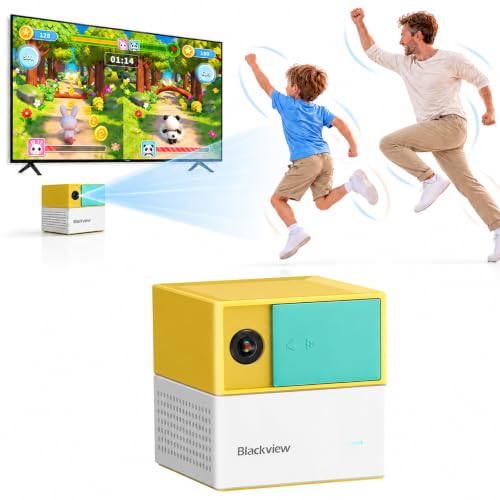
Blackview PlayPop 8 Active Play System
What We Like
- Controller-free motion gameplay
- Up to 4 players at once
- 36 games with monthly additions
- Physical camera cover for privacy
Trade-offs
- Requires 15W+ charger (not included)
- Full library needs paid subscription
- 5 starter games only without GamePass
A 12MP wide-angle camera with 17-point AI body tracking turns your living room into a controller-free play space. That means kids, partners, or friends can jump, dance, or swing without passing around a gamepad. With 36 games across six categories and new titles added monthly, there is enough variety to keep movement feeling fresh. The octa-core processor and 8GB of RAM support the motion recognition, so your focus stays on the fun. For families or couples who want an affordable way to get active together without cluttering the TV stand with accessories, this system keeps things simple and social.
The full game library requires a subscription. Five starter games are included, but unlocking the rest requires a budget-friendly annual subscription, which adds up over time. Compared to the Nex Playground Complete Family Gaming Bundle, which includes a 12-month play pass, the Blackview PlayPop 8 asks you to budget for that extra cost separately. It also needs a 15W charger you supply yourself. That said, the small cube design (three inches each side) makes it easy to pack for a weekend at a relative’s house, and the physical camera cover offers privacy peace of mind when playtime ends.
Product photos
VTech LeapMOVE Game Console

What We Like
- Camera captures full body movements
- 30 pre-installed learning games included
- No internet connection needed
- Integrated playtime control for parents
Trade-offs
- Limited to learning content, not pure fitness
- Requires TV with HDMI port
The VTech LeapMOVE uses a camera to track full body movements, turning the TV into an interactive learning landscape without a handheld controller. It comes with 30 pre-installed learning games that cover vocabulary, math, and problem solving across three difficulty levels: Kindergarten, Pre-K, and School Start. Because the console works without an internet connection and includes a playtime timer parents can set, it offers a controlled screen experience for young children. The included HDMI and USB-C cables connect to the TV, and the integrated clip lets you place the camera under or on the screen.
This system is designed around learning, not high-intensity exercise. If your child is already past the early elementary years, the kindergarten-through-school-start levels might feel too simple. For a four-year-old just starting to follow on-screen prompts while moving, it provides a structured way to combine activity with educational content.
How We Evaluated Video Game Systems For Exercise
Our research focused on three core questions: does the system actually get you moving, does it keep you engaged over time, and is it practical for your home setup. We studied manufacturer documentation for motion tracking accuracy, game library sizes, and hardware requirements. We also examined patterns in owner feedback to understand which systems people actually stuck with versus ones that collected dust after a week.
The most important criteria were motion tracking quality, game variety, and ease of use. A system with poor tracking makes every movement frustrating. A small game library means you will burn out on the same routines quickly. And if setup takes twenty minutes or requires a PhD in HDMI cables, most people will give up before they break a sweat. Subscription costs and age appropriateness also factored heavily into our rankings.
Every evaluation has limits. What we can offer is a clear picture of what each system promises, what owners commonly report, and how the specs match different fitness needs. Use this as a starting point to narrow down which style of active gaming fits your household.
What To Look For In Video Game Systems For Exercise
Choosing the right system comes down to understanding how each type of motion tracking works and what kind of movement you actually want to do. Some systems use cameras, others use handheld controllers or balance boards, and each delivers a very different workout experience.
The best video game system for exercise matches your fitness level, space constraints, and willingness to manage subscriptions. Camera-based systems offer the most natural full-body tracking, while controller-based systems excel at specific workout types like boxing or dance.
Motion Tracking Technology
The tracking method determines how much of your body actually moves during play. Camera-based systems like the Nex Playground and Kryolithm MotionX track your whole body without requiring you to hold anything, which means you can do jumping jacks, squats, and lunges naturally. Kinect-style systems on Xbox 360 offer similar full-body tracking but require more open floor space. Controller-based systems like the Nintendo Wii rely on wrist and arm movements, which works well for games like tennis or boxing but misses lower-body motion entirely.
Game Library and Content Updates
A system is only as good as the games it offers. Look at how many titles come pre-loaded and whether the library grows over time. Systems like the FWFX AR Motion Gaming Console include over 30 games out of the box with no extra purchases needed, while the Nex Playground adds games monthly through its subscription.
For families, variety matters more than any single title because kids rotate through activities quickly. Check whether the game library includes actual fitness categories like cardio, strength, or dance rather than just party games with light movement.
Subscription Requirements and Total Cost
Subscription costs can turn an affordable system into an ongoing expense. The Kryolithm MotionX and FWFX Dance Mat require no subscription at all, making them the most budget-friendly over time. The Nex Playground and Quell Impact both require paid subscriptions for full access, which means you should factor in at least a year of fees when comparing total cost. Some systems offer a large free library with optional paid upgrades, which can be a good middle ground.
- Measure your TV area: camera-based systems need 6-10 feet of clear space between the sensor and where you stand
- Check age ratings: most VR systems require users to be 13 or older
- Look at storage: digital-only systems with small internal drives limit how many games you can download
- Verify TV compatibility: every system here requires an HDMI port except the Wii U which uses component cables
- Consider portability: if you plan to move the system between rooms or take it traveling, weight and case options matter
A good rule of thumb: the best system is the one you will actually set up and use three times a week. Fancy features mean nothing if the console stays in the closet.
Video Game Systems For Exercise Compared
The table below compares all ten video game systems for exercise across the key specs that matter most for active play, including tracking type, game library size, and age suitability.
| Product | Games Included | Controller | Weight |
|---|---|---|---|
| Nex Playground Complete Family Gaming Bundle | 5 starter + 30+ via Play Pass | None (camera tracking) | N/A |
| FWFX AR Motion Gaming Console | 30+ | Body motion & button | 1.6 pounds |
| Xbox 360 4GB Console with Kinect | N/A | Xbox 360 wireless controller | 2.0 pounds |
| Nintendo Wii Fit U with Balance Board | N/A | Balance Board | 10.3 pounds |
| Quell Impact Fitness Gaming Platform | N/A | N/A | 3.7 pounds |
| Kryolithm MotionX Active Game Console | 41+ motion games | AI wide-angle camera, no controllers | N/A |
| Meta Quest 2 VR Headset 256GB | Over 250 titles | N/A | 1.8 pounds |
| FWFX Wireless Dance Mat Game | 270+ built-in | N/A | N/A |
| Blackview PlayPop 8 Active Play System | 36 included, new monthly | Controller-Free | 0.9 pounds |
| VTech LeapMOVE Game Console | 30 learning games | Camera-based full body motion | 1.1 pounds |
Frequently Asked Questions
Which video game system burns the most calories?
The Quell Impact Fitness Gaming Platform is designed specifically for high-intensity workouts and claims up to 600 calories burned per hour through resistance-based combat movement. Camera-based systems like the Nex Playground also provide solid calorie burn through full-body motion games, though actual results depend on your effort level and how long you play.
Can you get a good workout without a subscription?
Yes. The Kryolithm MotionX Active Game Console includes 41 games with free updates and requires no subscription at all. The FWFX Wireless Dance Mat also works completely offline with no ongoing costs. These systems offer plenty of variety for consistent workouts without monthly fees.
What is the best exercise gaming system for young children?
The VTech LeapMOVE Game Console is designed for ages 4-12 with 30 pre-installed learning games that incorporate full-body movement. It requires no internet connection and includes parental playtime controls. The Nex Playground is also suitable for ages five and up with its controller-free camera tracking and no ads.
Do you need a lot of space for exercise video games?
Camera-based systems like the Nex Playground and Xbox 360 Kinect require a certain amount of open space between the sensor and where you stand. VR systems like the Meta Quest 2 need a clear area roughly six and a half feet by six and a half feet for room-scale play. Dance mats require floor space for the mat itself plus room to step on and off.
Which system works best for two players at once?
The Blackview PlayPop 8 supports up to four players simultaneously with controller-free motion tracking. The FWFX AR Motion Gaming Console also works well for multiplayer family game nights. Camera-based systems generally handle multiple players better than VR headsets, which are single-user by design.
The Bottom Line
The Nex Playground Complete Family Gaming Bundle is the best overall choice for most households because it combines controller-free camera tracking with a growing library of over 30 games that genuinely get everyone moving. It works for ages five and up, includes a portable travel case, and requires no controllers to lose or break. If you want active gaming without subscription commitments, the Kryolithm MotionX offers 41 games with free lifetime updates.
For fitness-focused adults who want a real workout, the Quell Impact delivers high-intensity resistance training that goes far beyond casual play. The Meta Quest 2 provides an immersive full-body experience for teens and adults willing to invest in the VR ecosystem. And for families with young children, the VTech LeapMOVE combines learning with movement in a safe, screen-time-controlled package.
The single most important factor in choosing an exercise gaming system is honestly assessing whether you will use it consistently. A camera-based system with a subscription that you actually play three times a week beats a cheaper no-subscription system that sits unused. Pick the one that matches your space, your fitness level, and your willingness to commit to the setup.
