
10 Best Digital Signage For Gyms in 2026
This post contains affiliate links. As an Amazon Associate, we earn from qualifying purchases.
For gym owners who need a screen that can handle constant operation and bright overhead lights, the Samsung QM55R 55″ 4K Commercial Signage is the best overall pick. It offers 24/7-rated durability and crisp 4K resolution. For spaces with harsh glare, the Canlarriz 55″ 4K 1000-Nit Digital Signage delivers the brightness you need. And if you want the fastest possible setup, the Amazon Signage Display 55″ All-in-One boots straight into its content management system with no separate media player.
The problem with most consumer TVs in a gym is simple: they aren’t built for it. The lights stay on all day, the screen runs for sixteen or more hours straight, and members need to read class schedules or workout instructions from across the room. A television that dims after four hours or burns in from a static logo creates headaches you don’t need.
This guide is based on manufacturer specifications, commercial display ratings, and patterns we found in owner and facility-manager feedback across dozens of models. We focused on brightness, 24/7 reliability, built-in content management, and size to help you match the right display to your gym’s layout and lighting.
Top 10 Digital Signage Displays For Gyms in the Market
Certain content that appears on this site comes from Amazon. This content is provided "as is" and is subject to change or removal at any time.
The Best Digital Signage Displays For Gyms, Reviewed
Samsung QM55R 55" 4K Commercial Signage

What We Like
- 4K UHD resolution for crisp workout content
- 500-nit brightness visible in bright gyms
- 24/7 rated for constant operation
- Built-in Wi-Fi and Bluetooth for remote management
Trade-offs
- 500 nits is dimmer than 1000-nit alternatives
- No built-in CMS for content scheduling out of box
- 39.9 pounds requires sturdy mounting
The 500-nit brightness and non-glare panel keep this 55-inch 4K display readable in brightly lit rooms, so menus or announcements stay clear even under overhead lights. It’s rated for 24/7 operation, which means it can run continuously without rest, and the built-in Wi-Fi and Bluetooth let you update content from a tablet or phone without needing to plug in a cable. For a commercial display that offers strong picture quality and reliable round-the-clock use, this model fits many business settings.
Canlarriz 55" 4K 1000-Nit Digital Signage

What We Like
- 1000-nit brightness stays readable in bright gyms
- Free Android CMS for remote content updates
- Supports 24/7 operation for all-day use
- 3-year warranty with first-year replacement
Trade-offs
- At 50.7 lb, wall mounting requires sturdy support
- Indoor use only, not weather-resistant
A 1000-nit brightness rating means this 55-inch 4K display cuts through harsh overhead lights and sunny windows that plague many gym floors. Your class schedules, motivational quotes, and promotional graphics stay sharp and readable even when members are mid-squat under bright LEDs. It suits gym owners who want a vivid, reliable screen that can run around the clock without dimming or washing out. The free cloud-based CMS makes swapping content between morning HIIT promos and evening yoga announcements straightforward from your phone or laptop.
The trade-off is weight: at 50.7 pounds, you will need a solid wall anchor and likely a second pair of hands for installation. Compared to the Samsung QM55R at 39.9 pounds with 500 nits, the Canlarriz offers double the brightness for a heavier setup. For gyms where glare is a constant battle, that extra brightness is worth the heft. Just plan your mounting spot carefully before unboxing.
Amazon Signage Display 55" All-in-One
What We Like
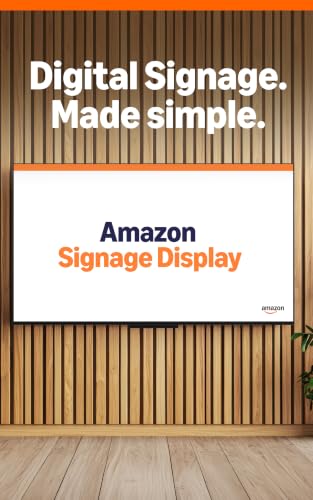
- All-in-one design: screen and media player combined
- Boots straight into CMS in kiosk mode
- Setup in minutes with free Amazon Signage app
- Works with over 80 CMS platforms
Trade-offs
- No entertainment apps or app store for casual use
- Support only available weekdays 9 AM–5 PM PT
An all-in-one design that combines the screen and media player into a single unit means you skip the usual tangle of separate boxes, power cords, and HDMI cables. That alone makes this 55-inch display the simplest way to get a gym’s message board or class schedule up and running. It boots straight into your chosen content management system in kiosk mode, so there’s no fumbling through a smart-TV interface or accidentally leaving Netflix on the lobby screen. The free Amazon Signage app walks you through setup in minutes, and with support for over 80 CMS platforms, you can pick the software that fits your workflow without worrying about compatibility.
This display is purpose-built for signage and nothing else. If you ever want to stream a workout video or mirror a phone for a quick demo, you won’t find an app store or launcher here. That focus is exactly what keeps setup simple, but it does mean you’ll need a separate device for any entertainment use. Compared to the Samsung QM55R, which includes HDMI and Wi-Fi connectivity, the Amazon Signage Display trades those inputs for a truly integrated design. For anyone who just wants to get a message or schedule on screen without extra hardware, this is a straightforward option.
Product photos
MASTLOUFUL 24" 1000-Nit Digital Signage
What We Like
- 24/7 operation matches long hours
- Remote CMS updates multiple screens
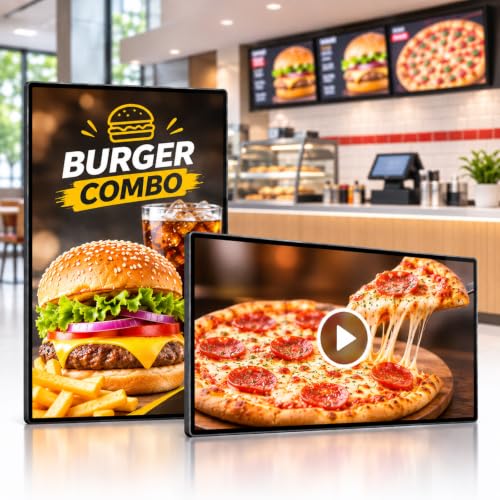
- Four-zone layouts for varied content
Trade-offs
- 1080p resolution at 24" limits detail for small text
- No built-in speakers for audio playback
With 1000 nits of brightness, this 24-inch display stays readable in bright indoor settings like retail stores or restaurants, where overhead lights can wash out standard screens. That brightness, combined with 24/7 rated operation, makes it a practical choice for businesses that run content all day. The remote CMS lets you update screens across multiple locations from one browser, so you are not swapping USB sticks at each site. For a display that handles demanding commercial hours, this model delivers where it counts.
Product photos
LG 43" 4K UHD Digital Signage Display

What We Like
- Rated for 16/7 continuous operation
- 30,000-hour lifespan for long-term use
- Conformal coating protects power board
- Flexible portrait or landscape mounting
Trade-offs
- Not rated for 24/7 use like some competitors
- Only rated for 16/7 operation, not continuous 24/7 use.
A 16/7 operation rating means this display is built to run from before the first morning class through the last evening session without a break. That’s backed by a 30,000-hour lifespan so you won’t be shopping for a replacement every couple of seasons. The conformal coating on the power board adds extra protection against humidity and dust, which matters when your gym has sweaty equipment and cleaning sprays flying around. For a mid-sized facility that wants crisp 4K visuals on class schedules, workout loops, or brand messaging, this is the kind of reliable workhorse that lets you set it and forget it.
This LG isn’t built for 24/7 operation, so if your gym never closes or you plan to run screens overnight, the Samsung QM55R with its 24/7 rating is the safer bet.
Product photos
KEINONE 43" 4K 1000-Nit Android Signage

What We Like
- 1000-nit panel stays readable under bright lights
- Android 14 with Google Play for easy app installs
- Free built-in CMS with remote WiFi updates
- Split-screen shows 2-6 zones at once
Trade-offs
- No included HDMI cable or SD card in package
- Package includes only wall mount, remote, and power cable
With 1000 nits of brightness, this display stays crisp and vivid even under harsh overhead gym lights or near sunny windows, so your class schedules, promo loops, and motivational clips don’t wash out. The Android 14 operating system with 4GB of RAM and 64GB of storage lets you install apps straight from Google Play without a separate media player, keeping setup simple and clutter-free. For a gym owner who wants a smart, self-contained sign that updates remotely via WiFi and can show multiple zones, like a timer, a class list, and a video, this is a clean, capable package.
Size is the main consideration: at 43 inches, it works well behind a front desk, on a small wall, or in a studio corner, but for a large open gym floor you might want something bigger. If your space is compact or you need a bright, app-ready screen without extra hardware, this is the one to grab.
Canlarriz 29" 1000-Nit Stretched Bar Monitor

What We Like
- Free cloud CMS for remote content updates
- Split-screen playback shows video and text side by side
- 1000-nit brightness for bright indoor environments
Trade-offs
- 2K resolution is lower than 4K alternatives
- 29-inch size is small for large gym walls
2K resolution isn’t as sharp as the 4K panels from the Samsung QM55R, so if you plan to pack tiny text or high-detail workout graphics, the clarity won’t match. At 29 inches, it also feels small for a large open gym floor where a 55-inch display would command more attention.
Product photos
LG 43" 4K UHD LCD Digital Signage

What We Like
- 25% haze surface cuts glare
- 500 nits bright enough for lit gyms
- UHD resolution keeps text crisp
- 50,000-hour 24/7 runtime
Trade-offs
- 43-inch size is smaller than many competitors
- No built-in CMS or media player included
500 nits may not be enough for very bright environments, such as rooms with large windows. For those spaces, a higher-nit option like the Canlarriz 55-inch 1000-nit model could be a better fit. The LG also lacks a built-in media player, so you will need an external device to push content. If you already have a content management system and your lighting is controlled, this display’s anti-glare surface and long lifespan make it a practical choice.
Product photos
Planar 997-7094-00 Digital Signage
What We Like
- 65-inch screen for large gym spaces
- 24/7 reliability for continuous operation
- Landscape or portrait mounting flexibility
- Internal memory and USB playback
Trade-offs
- At 150.0 lb, installation requires extra help
- 450 nit brightness is lower than some competitors
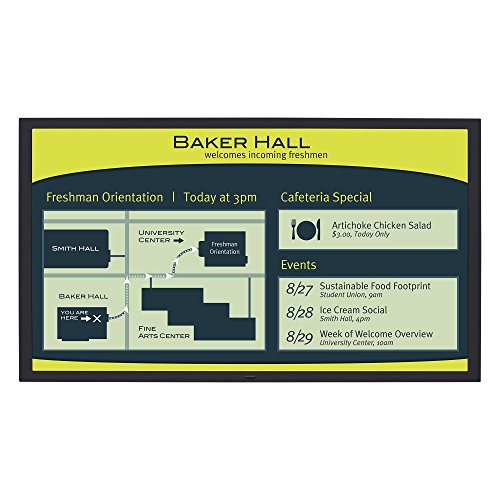
A 65-inch screen means this display is large enough to be seen from across a room, so viewers can read content from a distance. It is rated for 24/7 reliability, which suits environments that need continuous operation. The internal memory and USB playback allow you to load content without a separate media player or constant internet connection. For a facility that wants one large, durable screen to serve as a central information point, this size and reliability make it a natural fit.
At 150 pounds, this is a two-person (or more) mounting job, and you will need a sturdy wall bracket rated for the load. Brightness sits at 450 nits, which is fine for most indoor lighting. It is lower than the 1000-nit Canlarriz 55″ model, so if your space has very bright ambient light, that higher-nit option might be the better call.
NEC MA551 MultiSync 55" 4K Display
What We Like
- 4K UHD native resolution for crisp imagery
- Wide Color Gamut for vibrant, lifelike colors
- Landscape and Portrait installation flexibility
- 500 cd/m2 brightness with HDR compatibility
Trade-offs
- At 60.8 lb, wall mounting requires sturdy support
- Heavier than the 39.9 lb Samsung QM55R, limiting mount options
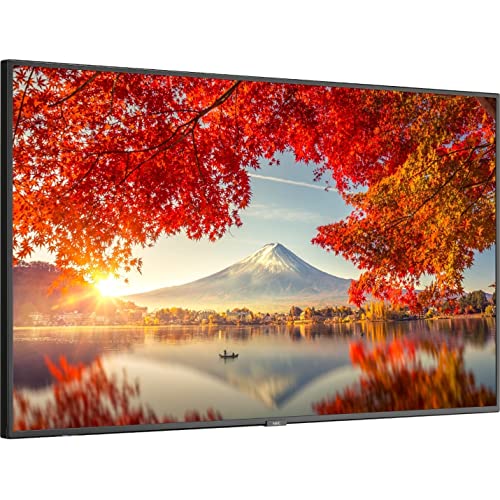
A 4K UHD native resolution and Wide Color Gamut panel mean the NEC MA551 delivers imagery that feels vivid and true-to-life, which is useful for any setting where visual quality matters. The 500 cd/m2 brightness and HDR compatibility help content stay visible in many indoor environments, though it is not designed for extremely bright conditions.
At 60.8 pounds, this display is heavier than some alternatives, so you will want a solid mounting bracket and a wall that can handle the load. For buyers who value crisp, color-accurate messaging over extreme brightness or a lightweight setup, the NEC MA551 is a display that keeps content looking clean.
How We Evaluated Digital Signage Displays For Gyms
We started by looking at the technical specs that matter for a commercial gym environment: brightness measured in nits, operational duty cycle ratings (16/7 versus 24/7), and native resolution. A display that looks great in a dim conference room can look washed out under a row of fluorescent tubes, so we paid close attention to brightness and anti-glare treatments.
From there, we examined the built-in content management options. Some screens come with free cloud-based CMS platforms that let you update class schedules and promotions remotely, while others require a separate media player or third-party subscription. We also weighed installation factors like weight, VESA compatibility, and whether the display supports both portrait and landscape mounting.
Finally, we cross-referenced our findings with owner feedback patterns, noting common complaints about fan noise, image retention, and the real-world reliability of claimed lifespans. A research-led evaluation like this can identify the best candidates, but it can’t substitute for seeing a screen in your own lighting conditions. We recommend ordering a single unit first to test visibility before buying in bulk.
What To Look For In Digital Signage Displays For Gyms
Choosing the right display comes down to how bright your gym is, how many hours it runs, and whether you want to manage content from your phone or a laptop.
Look for at least 500 nits of brightness for typical indoor gyms, or 1000 nits if you have large windows or direct overhead lights. Confirm the duty cycle rating matches your operating hours, and decide whether you need a built-in CMS or plan to use a separate media player.
Brightness (Nits)
Brightness is the single most important spec for a gym display. Consumer TVs typically have lower brightness, which works fine in a living room but gets washed out under gym lighting. A 500-nit display handles most indoor gyms well. If your facility has large windows, glass walls, or skylights, you will want 1000 nits or higher to keep content readable.
Duty Cycle and Reliability
Commercial displays are rated for how many hours a day they can run without overheating or degrading. A 16/7 rating means the screen is built to run 16 hours a day, 7 days a week. A 24/7 rating means it can run non-stop. If your gym opens early and closes late, or you leave screens on overnight for security or maintenance, choose a 24/7-rated model. Also look for features like conformal coating on the power board, which protects against humidity and dust.
Content Management System (CMS)
Some displays include a built-in CMS that lets you upload and schedule content directly from a web browser or app. Others require a separate media player, a small computer that plugs into the screen’s HDMI port. All-in-one models like the Amazon Signage Display 55″ combine the screen and player into a single unit and boot straight into the CMS. If you manage multiple gym locations, a cloud-based CMS that updates all screens at once can save hours each week.
Size and Viewing Distance
A 43-inch display works well for countertops, check-in areas, or small studios. For a main gym floor where members read content from across the room, consider 55 inches or larger. A good rule of thumb is that the screen should be visible from the farthest point in the room. Pairing your signage with the right gym audio systems and gym lighting creates a cohesive experience for members.
- Measure the farthest viewing distance and pick a screen size that fills a comfortable portion of your field of view.
- Check the VESA mount pattern to confirm it matches your existing wall mount or bracket.
- Confirm the display supports both landscape and portrait orientation if you plan to use it vertically for menus or schedules.
- Look for a 3-year warranty on commercial models, and note whether the first year includes replacement rather than just repair.
A 55-inch 4K display at 500 nits is the sweet spot for most mid-size gym floors, but bright spaces demand 1000 nits regardless of size.
Digital Signage Displays For Gyms Compared
The table below compares the ten displays on brightness, duty cycle, resolution, and built-in CMS support, so you can see at a glance which model fits your gym’s specific needs.
| Product | Screen Size | Resolution | Brightness | Weight |
|---|---|---|---|---|
| Samsung QM55R 55" 4K Commercial Signage | 55" | 3840 x 2160 4K UHD | 500 nits | 39.9 pounds |
| Canlarriz 55" 4K 1000-Nit Digital Signage | 55" | 4K UHD | 1000 nits | 50.7 lb |
| Amazon Signage Display 55" All-in-One | 55" | 4K UHD | N/A | 0.1 pounds |
| MASTLOUFUL 24" 1000-Nit Digital Signage | 24" | 1080p Full HD | 1000 nits | 30.9 pounds |
| LG 43" 4K UHD Digital Signage Display | 43" | 4K UHD | N/A | 22.5 lbs |
| KEINONE 43" 4K 1000-Nit Android Signage | 43" | 4K UHD | 1000 nits | N/A |
| Canlarriz 29" 1000-Nit Stretched Bar Monitor | 29 inches | 2K | 1000 nits | 10.3 pounds |
| LG 43" 4K UHD LCD Digital Signage | 43" | 3840 x 2160 UHD | 500 nits | 30.1 pounds |
| Planar 997-7094-00 Digital Signage | 65" | N/A | 450 nit | 150.0 pounds |
| NEC MA551 MultiSync 55" 4K Display | 55" | 3840 x 2160 | 500 cd/m2 | 60.8 pounds |
Frequently Asked Questions
What brightness do I need for a gym display?
For a typical indoor gym with standard ceiling lights, 500 nits is sufficient. If your gym has large windows, glass walls, or direct overhead lighting that creates glare, look for 1000 nits or more. Consumer TVs with lower brightness will look dim and washed out in most gym environments.
Can I use a regular TV as a digital sign for my gym?
You can, but it is not recommended. Consumer TVs are not rated for the long operating hours common in gyms, and they lack the brightness needed to stay readable under bright lights. A commercial display rated for 16/7 or 24/7 operation will last much longer and maintain better image quality over time.
What is a duty cycle on a commercial display?
A duty cycle rating tells you how many hours per day the display is designed to run continuously. A 16/7 rating means 16 hours a day, 7 days a week. A 24/7 rating means the screen can run non-stop without overheating or degrading. Always match the duty cycle to your actual operating hours.
Do I need a separate media player for digital signage?
It depends on the display. Some models include a built-in content management system that lets you upload and schedule content directly. Others require a separate media player that connects via HDMI. All-in-one displays combine the screen and player into a single unit for the simplest setup.
What size digital sign should I get for my gym?
A 43-inch display works well for countertops, check-in desks, and small studios. For the main gym floor where members read from a distance, 55 inches or larger is better. Measure the farthest viewing point and choose a size that makes text and class schedules easy to read from that distance.
The Bottom Line
For most gyms, the Samsung QM55R 55″ 4K Commercial Signage is the right call. It balances 4K clarity, 24/7 reliability, and wireless content control at a brightness level that works in typical indoor lighting. It is the one display that checks all the essential boxes without overcomplicating the setup.
If your gym battles direct sunlight or bright overhead lights all day, step up to the Canlarriz 55″ 4K 1000-Nit Digital Signage for the extra brightness. And if you want a display that is ready to go out of the box with no separate media player, the Amazon Signage Display 55″ All-in-One makes setup truly painless.
The most important factor is brightness. A dim screen frustrates members and makes your content look unprofessional. Pick a display with at least 500 nits, confirm the duty cycle matches your hours, and you will have a signage system that works as hard as your members do.
