
How to Freeze a Gym Membership: Fees and Traps
This post contains affiliate links. As an Amazon Associate, we earn from qualifying purchases.
To freeze a gym membership, file the request through the chain’s stated channel before its notice deadline, then confirm the fee and start date. Six chains disagree on almost everything: freeze fee runs from nothing to 25 GBP a month, maximum freeze from one month to unlimited, and the 12-month clock starts on different dates.
Those three differences decide whether a freeze saves you money or quietly costs you more than the months you skipped. A chain that swaps your monthly rate for a flat freeze fee behaves nothing like one that charges per request and pauses nothing else. Knowing how to freeze a gym membership means reading those terms before you sign.
What follows: the six chains’ real terms side by side, the two clauses that catch most people (the clock and the notice deadline), and the situations where cancelling beats freezing outright.
Key Takeaways
- Check the notice deadline first. The Gym Group wants 4 working days before your collection date, Gymbox wants 5 days before the freeze starts, and City Fitness wants 14 days before your bill date; PureGym and VASA publish no notice period.
- A freeze can extend your contract. Gymbox adds the frozen months to your minimum term, and Anytime Fitness adds frozen time and payments to the end of installment agreements.
- Fees are structured several different ways. PureGym’s $6.99 replaces your monthly amount, VASA charges $15 once per request, Gymbox charges 25 GBP per frozen month, and Anytime Fitness charges nothing monthly.
- Not everything pauses. Gymbox locker hire keeps billing and PureGym’s Annual Maintenance Fee still gets drafted mid-freeze.
- One check-in can end it. At VASA, using a club while frozen removes the freeze automatically and restarts billing.
What “Freezing” Actually Does to Your Contract
A freeze generally suspends billing and gym access while leaving the agreement active, though some charges and access rules vary by chain.
A membership freeze generally suspends billing and gym access for a set number of months while leaving the agreement active. Terms vary by operator: some replace the monthly fee with a smaller freeze fee, others charge a flat per-request amount, and at least one pauses billing entirely at no monthly charge.
Gymbox spells out the part most chains leave fuzzy. A freeze extends your minimum term by the number of frozen months, and Anytime Fitness adds frozen time and payments to the end of installment agreements. Freeze for three months on a twelve-month agreement and your minimum term grows by those frozen months.
Here is what a freeze does not pause:
- Locker hire at Gymbox keeps billing straight through. Cancel it before you freeze and re-add it when you are back.
-
PureGym’s Annual Maintenance Fee still gets taken if it falls due while you are frozen.
-
Guest passes stop as well. Gymbox members cannot use free guest passes while frozen.
Before you file anything, read the freeze clause in your own agreement. The app flow is quick. The clause decides whether the how to freeze a gym membership question actually saves you money.
How Do You Freeze a Membership at Each Gym?
You file it in the app or member area for some chains, and by phone, email or mail for Anytime Fitness. The sequence is short, but the order matters more than the clicks.
- Check the account is current. VASA blocks any membership change, freezing included, while a balance is outstanding. Anytime Fitness requires the same. File with arrears and you get a rejection, not a freeze.
- Find the notice deadline. The Gym Group wants the request 4 working days before your next collection date. Gymbox wants at least 5 days before the freeze starts.
- Use the app. Gymbox runs it through Studio > Self-Service > Idle Period > Add Idle Period. VASA takes the app, the help center, or a customer service email.
- Confirm the start date before you submit. Freeze start dates follow the membership billing cycle, so a request filed mid-cycle can land weeks later than you assumed.
- Screenshot the confirmation. If the fee is disputed later, that screen is your only record.
Skipping step two is the expensive one. Submit at The Gym Group later than four working days before your collection date and the regular monthly fee comes out anyway.
The Deadline Is the Whole Game
Notice periods are the least published and most expensive detail in the whole process. PureGym publishes none; the freeze simply starts on your next payment day. VASA publishes none either.
Gymbox gives a worked example: to freeze from the 1st of a month, submit at least 5 days before the freeze starts.
The Gym Group asks for 4 working days before your collection date, while Gymbox asks for at least 5 days before the freeze starts.
Medical, Military and Pregnancy Freezes Skip the App
Two chains publish a separate route that the standard flow will not reach. Gymbox offers leniencies for illness, injury or pregnancy, including waiving the 25 pound fee and freezing for longer, with supporting documentation reviewed case by case.
Anytime Fitness splits it three ways. Medical freezes run up to 3 months per calendar year with a valid doctor’s note. Military freezes are unlimited against valid orders. Standard freezes are 1 month, twice per calendar year.
If either applies to you, ask before you tap anything in the app.
The Fee Table Nobody Puts on the Website
Six chains, six fee structures, and no two of them work the same way.
| Chain | Freeze fee | Maximum freeze | Notice before start |
|---|---|---|---|
| PureGym US | $6.99/month, free for Plus | 3 months per 12 | None published |
| Gymbox | 25 GBP per frozen month | 3 months per 12 | 5 days before start |
| The Gym Group | Shown in app before confirm | Not published | 4 working days |
| City Fitness | $5 or $7.50 bi-weekly | 3 months / 6 billing cycles per calendar year | 14 days |
| VASA Fitness | $15 per request | 90 days | None published |
| Anytime Fitness | No monthly charge | Medical 3 months per calendar year; standard 1 month, twice a year; military unlimited | Not published |
The structure matters more than the number when you compare a how to freeze a gym membership. PureGym’s $6.99 replaces your usual monthly amount for Off-peak and Core members, and Plus members freeze free, per the PureGym freeze FAQ. VASA charges $15 once per request rather than per month. Anytime Fitness charges no fee per month during frozen months.
City Fitness is the one to watch. The same page states the freeze fee as $5 bi-weekly in one section and $7.50 bi-weekly in another, both tied to the same six-billing-cycle limit. Get the figure in writing before you confirm.
If the fee is the sticking point, there is usually room to negotiate a membership before you sign rather than after.
Why the 12-Month Clock Is the Trap

The “3 months” figure is the part most members remember. The clock underneath it is what costs you the fourth month.
PureGym starts its 12-month window from the first month you freeze. Gymbox refreshes on the anniversary of your join date, per the Gymbox support page. City Fitness counts 6 billing cycles per calendar year.
Same three-month allowance, three different clocks. Freeze late in the year under a calendar-year rule and the allowance resets in January. Freeze under PureGym’s rolling window and it does not start over until the same month the following year.
Rolling Windows vs Calendar Years
- PureGym: the 12-month period begins from the first month you freeze.
- Gymbox: refreshes each year on the anniversary of your join date.
- City Fitness: 6 billing cycles per calendar year.
- Anytime Fitness: calendar year for medical freezes, “2 times per calendar year” for standard ones.
A freeze allowance is a budget. Spend it in the months you will actually be away, because the chain will not let you borrow from next year.
What Happens If You Just Walk In While Frozen?
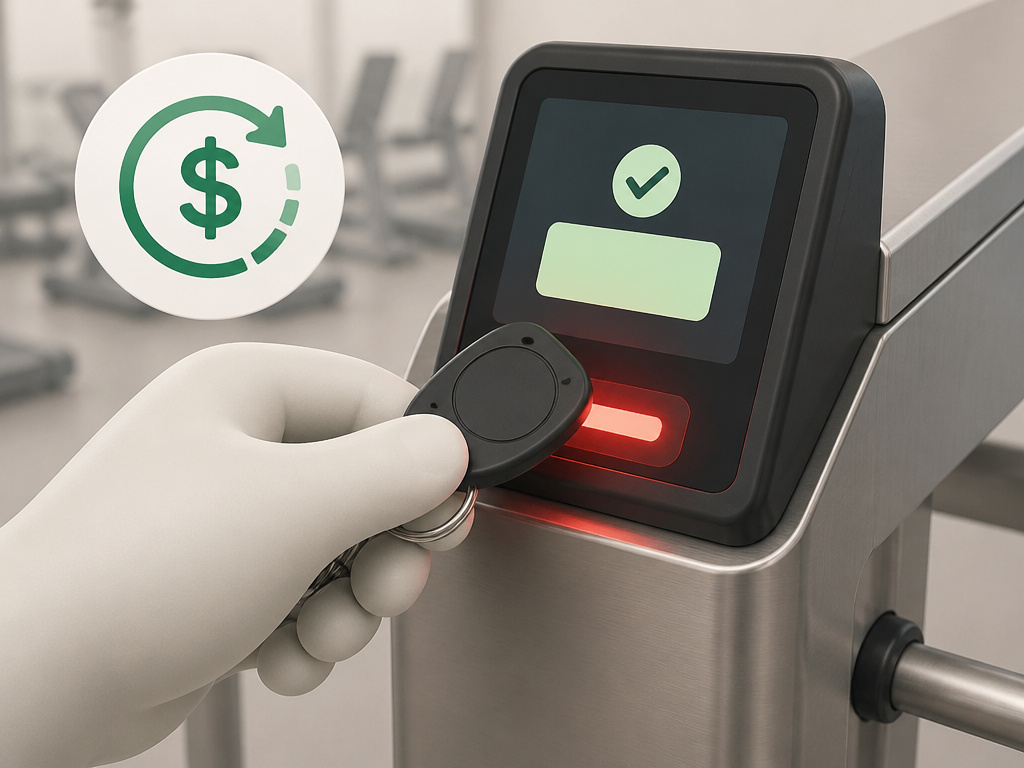
The turnstile beeps, the gate opens, and the billing restarts. That is exactly what VASA’s rules say happens when a frozen member checks in at any club.
VASA pauses all services and gym access during a freeze, and the membership resumes automatically after 90 days unless you activate it sooner, according to the VASA rules and regulations. A single unplanned visit ends the freeze early and restarts the charges.
Where this goes sideways: Checking in “just to say hi” at VASA cancels the freeze on the spot. Billing resumes that day, and you have burned part of your 90 days for nothing.
City Fitness runs the opposite restriction. You cannot cancel while frozen; the membership has to go back to active status first, and then the 30-day cancellation notice starts.
Gymbox is strict on access. No gym access during the freeze, and no free guest passes either; VASA also pauses all services and gym access during a freeze.
When Freezing Beats Cancelling, and When It Doesn’t
Cancelling is the more expensive mistake in most of these contracts, and freezing is the more expensive one in a few.
| Situation | Freeze | Cancel |
|---|---|---|
| Away 6-8 weeks, coming back | Cheapest at Anytime Fitness | Re-enrollment fees may apply |
| Moving to a new city | Check transfer terms first | 30 days notice at City Fitness |
| Injury, illness or pregnancy | Ask about medical leniency | You lose your locked rate |
| Never going back | Delays the paperwork | The correct move |
City Fitness is explicit about why it offers freezing at all: cancelling subjects you to enrollment fees and any new membership rates if you return later, per the City Fitness freeze page. That is the whole argument for a freeze in one sentence.
The Gym Group charges a pro-rata portion of the monthly fee to unfreeze, so you pay only for the days you use from that point. Fair enough, and worth knowing before you assume unfreezing is free.
If you are leaving the area rather than taking a break, check whether you can transfer a membership instead. It is often cheaper than either option.
And if you have genuinely finished with the gym, a freeze just delays the paperwork. Go read how to cancel a gym membership properly, notice period and all.
I would rather pay a small freeze fee for two months than cancel and pay enrollment again in spring. I have done the cancel-and-rejoin version. It cost more and I got nothing for it.
Ask these four things before you file:
- Does the fee replace my monthly payment, or sit on top of it?
- When exactly does the freeze start, and when does billing restart?
- Does it extend my minimum term?
- What still bills while I am frozen?
Frequently Asked Questions
How long can you freeze a gym membership?
Caps vary. PureGym allows up to 3 months within a 12-month period, Gymbox allows a maximum of 3 months during a 12-month period, and City Fitness allows up to 3 months or 6 bi-weekly payments. VASA runs to 90 days. Anytime Fitness standard freezes are 1 month, twice per calendar year.
Does freezing a gym membership cost money?
It depends entirely on the chain. PureGym charges $6.99 per month for Off-peak and Core members and nothing for Plus. Gymbox charges 25 GBP per frozen month. VASA charges $15 per freeze request. Anytime Fitness charges no fee per month during frozen months.
Can I cancel my membership while it is frozen?
At City Fitness, no. The membership must be reinstated to active status before a cancellation can be processed, and then the 30-day notice period applies. Gymbox has the reverse rule: a freeze cannot be applied during a cancellation notice period.
What happens if I use the gym during a freeze?
At VASA, checking in automatically removes the freeze and resumes billing. At Gymbox, you have no access at all during a freeze, and free guest passes cannot be used either.
Do I need to give notice before freezing?
Three chains publish a rule and three do not. The Gym Group asks for 4 working days before your next collection date, Gymbox asks for at least 5 days before the freeze starts, and City Fitness asks for 14 days before your bill date. PureGym and VASA publish no notice period.
Before You Go
The threshold is simple. If you are away for longer than a single billing cycle and less than your chain’s maximum, freeze.
One thing to try this week: open your chain’s app, find the freeze screen, and read the fee and start date it shows you before you confirm anything. The Gym Group shows both during the process. That screen tells you more about your own contract than any comparison table.
This all assumes your account is current and you are not already inside a cancellation notice period. If either is true, fix that first, because neither VASA nor Anytime Fitness will process a freeze until the balance clears.
And if you are dealing with illness, injury or pregnancy, skip the app entirely and ask about the medical route. Gymbox waives the fee and extends the duration on documented cases, and Anytime Fitness takes a doctor’s note for up to 3 months a calendar year. That conversation is worth having before you pay a penny.
